
Lessons
From first code to independent invention.
Students start with guided coding, grow into the invention cycle, then take on open-ended projects that build creativity, confidence and problem-solving.
You get the guides, prompts and classroom resources to teach the pathway with less prep.

Pathway at a glance
Three units. One progression.
Start with the foundations, move into engineering, then give students the space to solve real problems with original inventions.
Build coding confidence.
Students learn sequence, loops, inputs, outputs, conditionals, sensing, data and variables through guided coding and first inventions.
Starts in Unit 1 → 2Build engineering habits.
Students use empathy, constraints, specifications, planning, testing, feedback and iteration to improve what they build.
Deepens in Unit 2 → 3Build student ownership.
Students find real problems, investigate users, manage projects and present original inventions with purpose.
Expands in Unit 3 →Lesson progression
Each unit adds a new layer.
The sequence is designed to reduce friction for you and build confidence for your students.

Unit 1 is the required starting point for new classrooms.
Build coding confidence.
Unit 1 gives students the foundation: how computers receive input, follow instructions and produce outputs. Students practise each concept, then apply it in invention challenges.
Students learn
Input-process-output, sequence, pseudocode, loops, sound, user input, conditionals, sensing, data and variables.
Students practise
Light patterns, traffic lights, emergency alerts, interactive characters, alarms and arcade games.
Students grow
Confidence, computational thinking, debugging, persistence and pride in making code visible.

Unit 2 turns coding into engineering through the invention cycle.
Build engineering habits.
Unit 2 moves students into the invention cycle. They define needs, design ideas, plan builds, code behaviours, test results and improve the invention.
Students learn
Empathy, constraints, specifications, mapping, snippets, movement, Boolean logic, light sensitivity and random numbers.
Students practise
Drowsy driver solutions, dial-controlled inventions, music boxes, light-sensitive creatures and interactive books.
Students grow
Design thinking, testing, feedback, iteration, collaboration and stronger problem-solving habits.

Unit 3 opens the door to student-led invention projects.
Build student ownership.
Unit 3 gives students room to identify real problems, understand users, propose ideas, prototype solutions and present original inventions.
Students learn
Problem finding, empathy, user-centred design, research, project proposals, ethics and social impact.
Students practise
Choosing a problem, planning a project, building a prototype, testing, improving and presenting their solution.
Students grow
Independence, creativity, project management, communication, adaptability and innovation.
Skills students build
Skills beyond the build.
The finished invention matters. The bigger value is the thinking students practise while they get there.
Students are not just finishing activities. They are practising the habits behind invention.
Creativity
Students generate, combine and improve ideas.
Critical thinking
Students define the problem before they solve it.
Collaboration
Students share feedback and build on each other’s thinking.
Communication
Students explain how the invention works and why it helps.
Persistence
Students test, debug and keep going when something fails.
Project management
Students plan materials, timelines, milestones and next steps.
Ethical thinking
Students consider users, purpose and the impact of their solution.
Innovation
Students turn “what if?” into something real.
Teacher support
Teach the pathway with confidence.
The teacher guides give you the structure, prompts and troubleshooting support to keep students moving from first code to independent invention.

Plan the lesson
Use purpose, vocabulary, delivery notes, timing and cross-curricular links to prepare faster.
Prompt thinking
Use student questions, discussion prompts, optional activities and extension ideas.
Coach feedback
Guide milestones, critical friends, testing, iteration and resubmission after feedback.
Support troubleshooting
Use setup checks, port checks, power checks, bug box checks and cardboard build tips.

Student evidence
Learning you can see.
Students produce code, prototypes, journals, test results, design changes and reflections. The finished invention matters, but the learning journey is the proof.
Code
Students plan, write, download, test, debug and save programs.
Prototype
Students build physical inventions with cardboard and reusable electronics.
Test results
Students compare what happened with what the invention was meant to do.
Reflection
Students explain what changed, what worked and what they learned.
Free teacher resources
Download the guides for every unit.
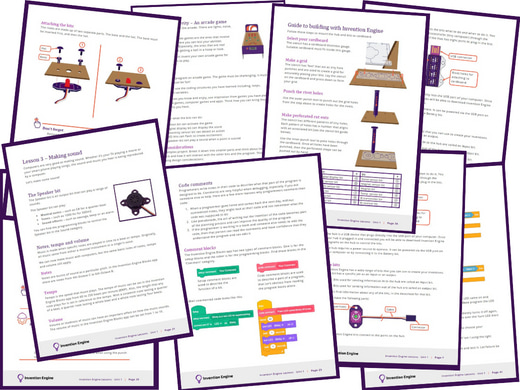
Use the guides and journal to plan the pathway, support delivery and show student progress.
Unit 1 guides
Start here with coding foundations and first invention challenges.
Unit 2 guides
Extend learning through engineering, testing, feedback and iteration.
Unit 3 guides
Support open invention projects, problem finding and student ownership.
Planning tools
Use the Journal and Getting Started guide to structure projects and setup.

Next step
Start with the right pathway.
Start with Unit 1 if your class is new to Invention Engine. Choose the complete pathway when you want the full progression from first code to open invention projects.